INKY Dashboard v1.10.15
New Features
Contract expiration notice for partners
See when your INKY subscription is about to end, in the banner at the top of every dashboard page.

- From 60 days before your Kaseya contract ends, the banner says when your INKY subscription expires. It is blue from 60 days out, amber from 30 days, and red on the end date and after.
- View usage and contract details opens Partner Center > Usage. Remind me later hides the notice for three days, and stops being offered in the last seven days before the end date.
- If you manage more than one partner account, the banner shows the contract that ends soonest.
- Learn more: Product Compliance Banner
Report This Email link on plain-text messages
Choose whether plain-text messages that INKY doesn't upgrade to HTML carry the Report This Email link.
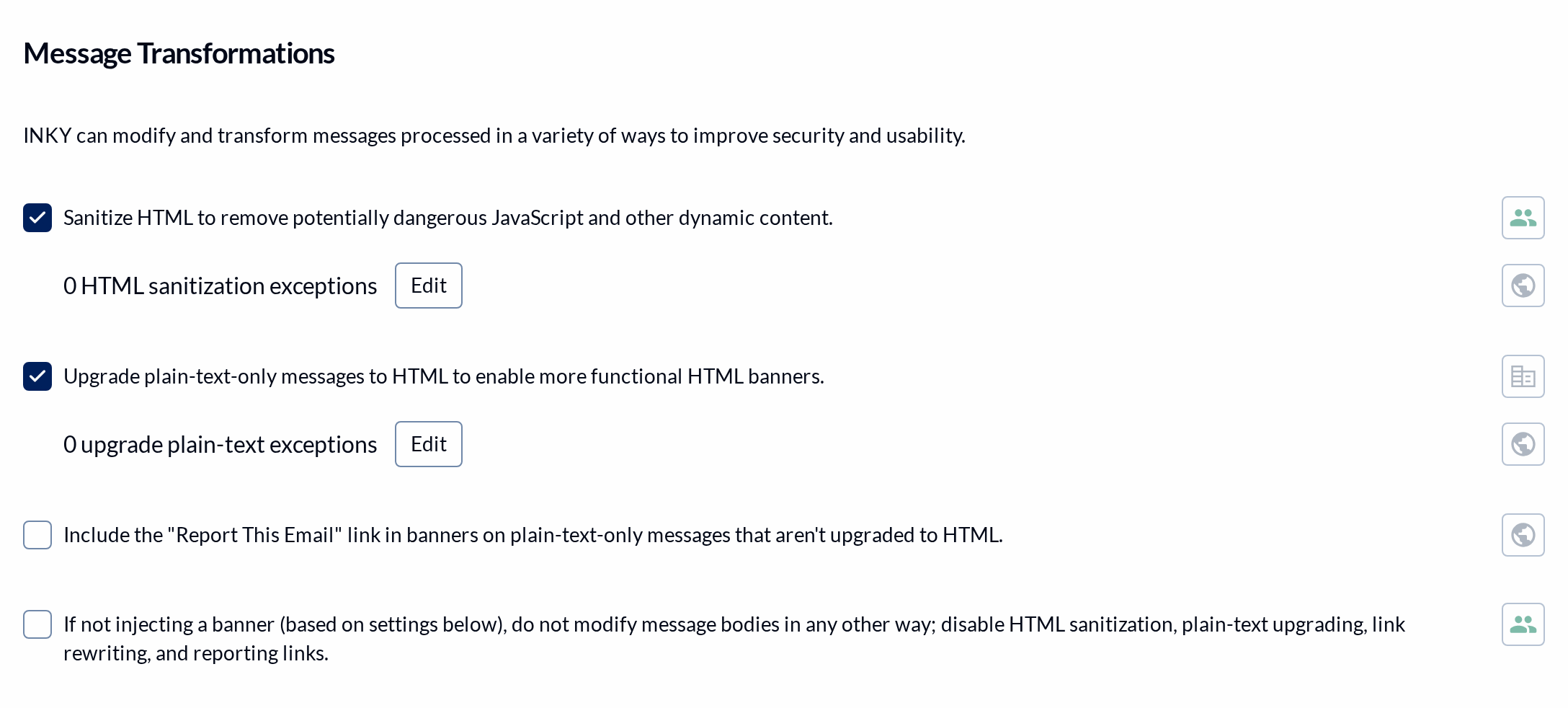
- A new setting under Message Transformations in Markup settings adds the Report This Email link, as a line of text, to banners on plain-text-only messages that aren't upgraded to HTML. It is off by default.
- With it off and plain-text upgrading off, the "Always include the Report This Email link" option now says it applies only to messages with HTML content.
- Plain-text messages stay plain text. INKY no longer adds an HTML part just to hold the link, which some mail clients showed as an attachment.
- Learn more: Banner Customization
Flemish and Slovenian banner languages
Banners and the Report This Email page can now be shown in Flemish or Slovenian.
- Dutch (Belgium) / Flemish and Slovenian are in the list under Language Localization in Markup Settings.
- Dutch banner and page text also has grammar and spelling fixes.
- Learn more: Banner Customization
Improvements
New INKY updates appear as a card
A new update shows as a small card in the corner of the dashboard instead of opening over your page.
- When there's an update you haven't seen, a card appears at the bottom right. Click it to read the update.
- Latest Updates in the account menu still opens every update.
Autotask Ticket Category hint
The Autotask settings now explain how the Ticket Category decides where a ticket lands.
- Both Ticket Category fields, for user reports and for account takeover, say that Autotask files the ticket using the category's defaults, including its queue and source.
- Learn more: Autotask Ticketing Integration
Fixes
Contract end date on the Usage page
Partner Center > Usage shows the contract's real end date.
- In US time zones, the contract row and its days-left count showed the day before the contract's end date. They now match the contract.
- Learn more: Usage & Billing Dashboard for Partners
Bracketed Subject in outbound rule summaries
Outbound rules that use the Bracketed Subject condition now read correctly in their summary.
- The summary read the early-closure checkbox as a match, for example "is Square Brackets [] matches 'false'".
- It now reads "contains", and adds "and allows early bracket closure" when that option is checked.
- Learn more: Outbound Mail Protection
Graymail link confirmation
The banner's Graymail link now asks you to confirm what it does.
- The confirmation said you were reporting the message as Safe, then asked whether to add personal block list entries.
- It now names the report Graymail and asks you to confirm the personal Graymail entries it adds.
- Learn more: Graymail Protection
French wording on the Report This Email page
Corrected French text on the Report This Email page.
- The page asks you to "Choisissez la bonne classification pour ce message", and French (France) labels Safe as "Fiable".