INKY Dashboard v1.9.7
New Features
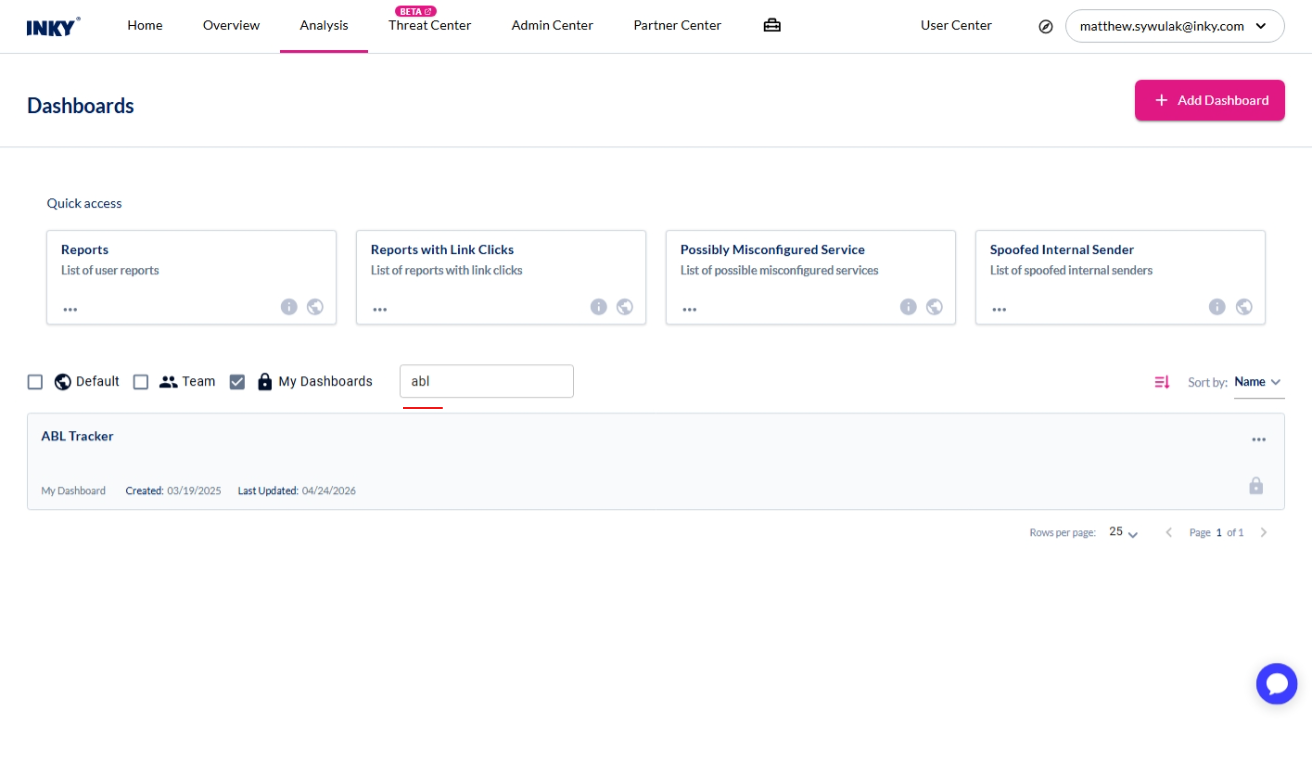
Search in Reports & Dashboards
Find a report or dashboard by name instead of scrolling the catalogue.
A search box now sits at the top of the Reports and Dashboards marketplace.
Type any part of a name to narrow the list as you go.
Useful once your catalogue has grown past a screenful, or when you know what you want and don't want to hunt for it.
To, Cc and Bcc on a delivered message
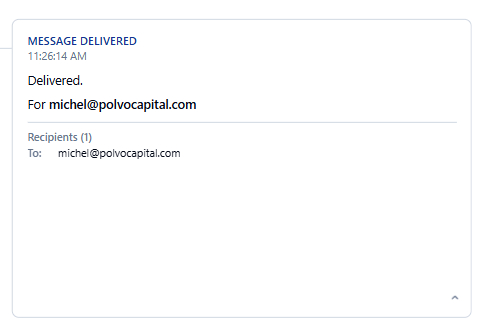
See exactly how each recipient was addressed on a message INKY delivered.
Expand the Delivered card on a message's timeline and recipients are now grouped by the header that carried them — To, Cc, and Bcc.
Recipients on the envelope but in neither the To nor the Cc header are shown as Bcc.
Sections with no recipients are left out, and a long list scrolls in place rather than stretching the card.
Enhancements
Account Takeover settings, reorganized
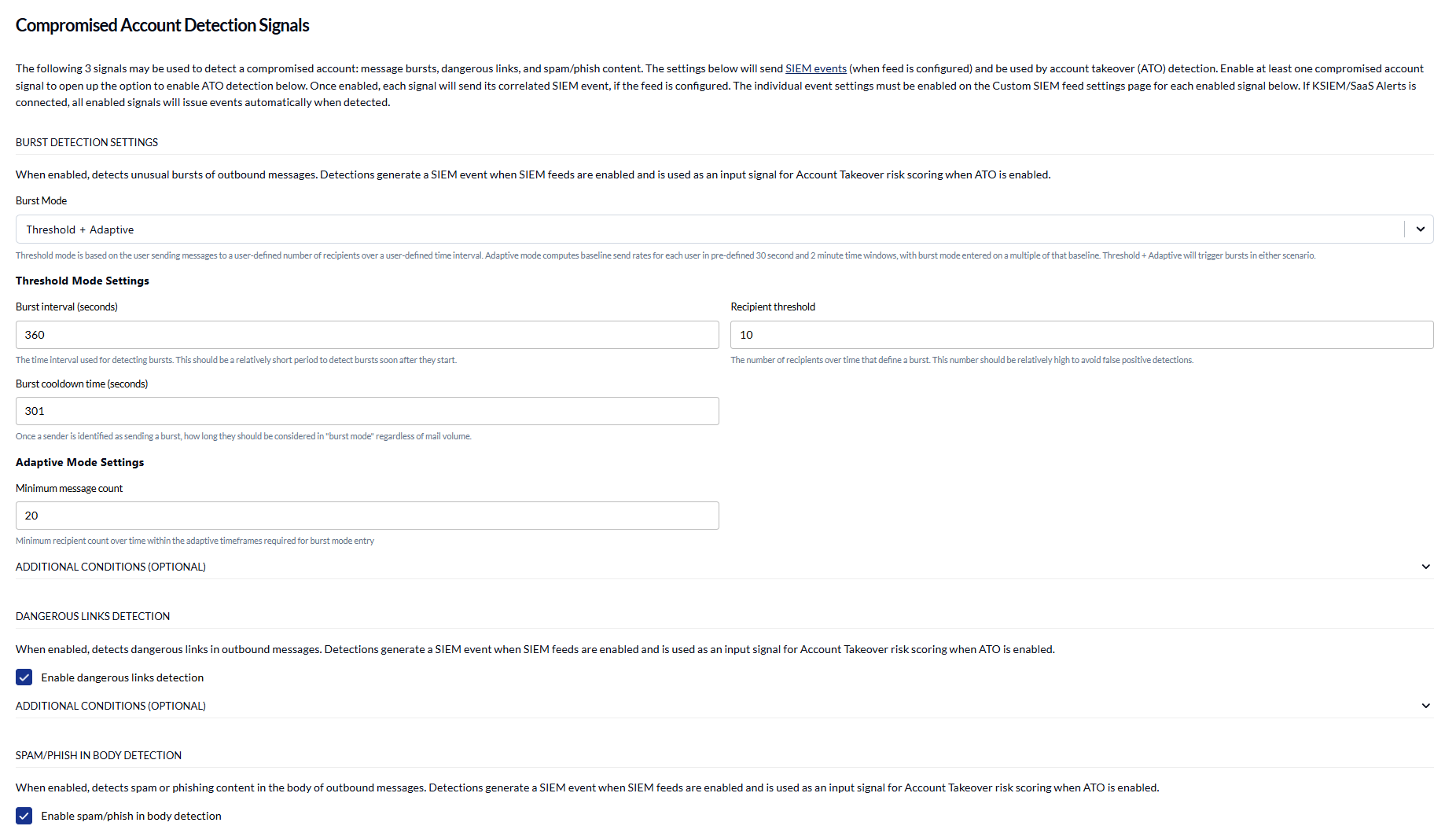
Configure the signals that drive Account Takeover detection in one place, whether or not you use ATO enforcement.
Burst, dangerous link, and spam/phishing detection are now grouped in a Compromised Account Detection Signals section, above the Account Takeover box rather than buried inside it. The section stays open, with only Additional Conditions collapsed.
The section is available to teams that only feed these signals to a SIEM, and the wording changes to match whether ATO risk scoring is switched on.
Enable Account Takeover Detection is now unavailable until at least one signal is enabled, because ATO has nothing to score without one.
Learn more about Account Takeover (ATO) Detection.
See what Account Takeover will actually do
Know the enforcement action every risk level will take, including the ones you haven't configured.
When some risk levels are mapped and others aren't, an Unconfigured Risk Levels summary now shows what the unmapped ones will do: fall back to the nearest configured level below, or to the Deliver default if there isn't one.
Turning ATO on with no risk mappings at all now warns you on the page and again when you save, since every detection would take the default Deliver action.
Choosing Discard for a risk level now says what that means for the sender: the message stays in their Sent folder with nothing to show it was never delivered.
Learn more about Account Takeover (ATO) Detection.
Releasing a user from enforcement
Act on a held user's mail knowing exactly how much is still waiting.
The Release User dialog now loads the enforcement's messages, so Approve and Reject show how many messages are still quarantined rather than a bare label.
Both options switch off once nothing is left to act on, and a summary shows what has already been approved or rejected against what remains.
Choosing Reject now warns that rejected messages are discarded permanently and cannot be recovered.
Learn more about the Threat Center page.
Outbound rule conditions explain themselves
Understand what a condition matches without leaving the rule editor.
Checkbox conditions now carry an info popover describing what they match.
Outbound burst prevention explains what preventing a user is for, not only what the setting does.
Learn more about configuring workflow rules.
Clearer account and setup messages
Get told what is actually happening at the points that used to be vague.
A suspended team's administrators are now told what to do about it, and each stage of suspension has its own wording instead of one notice that asserted a lockout that hadn't happened.
Granting API access now says up front that it opens a Microsoft sign-in.
Redeeming a licence no longer claims to need Microsoft admin consent, which it never did.
Keyboard and screen reader support
Navigate the console without a mouse.
The main navigation can now be operated from the keyboard; previously it responded to the mouse only.
Radio buttons now carry accessible names, so screen readers announce what each option is.
Performance
A faster Threat Center
Open the Threat Center on a busy team without waiting on the list to settle.
Each collapsed enforcement row used to fetch its full message list just to show a count — one request per row, every time the page loaded and again whenever you came back to the tab.
Message counts and last-message times now come from the enforcement list itself, and a row's messages are fetched only when you open it.
Moving between pages no longer rebuilds the console shell, so the header, navigation and team selector stay put instead of being torn down and redrawn on every navigation.
Learn more about the Threat Center page.
Fixes
Outbound approvers list — a rule with more than one approver overlapped the rows beneath it. Rows now grow with the approver count, showing up to three approvers and a "+x more".
Burst direction selector — the control was narrower than its own "Outbound" label, which rendered truncated.
Message list — a team whose mail INKY hadn't started processing was told its filters matched nothing, rather than that no mail had arrived yet.
Overview — the page painted empty charts over data it had never fetched. It now waits until it can answer, and an empty team with no top term is no longer reported as a failed query.