INKY Dashboard v1.10.13
New Features
Custom SIEM Feed for Kaseya organizations
Set up the Custom SIEM Feed once on a Kaseya organization, and every team under it inherits it.
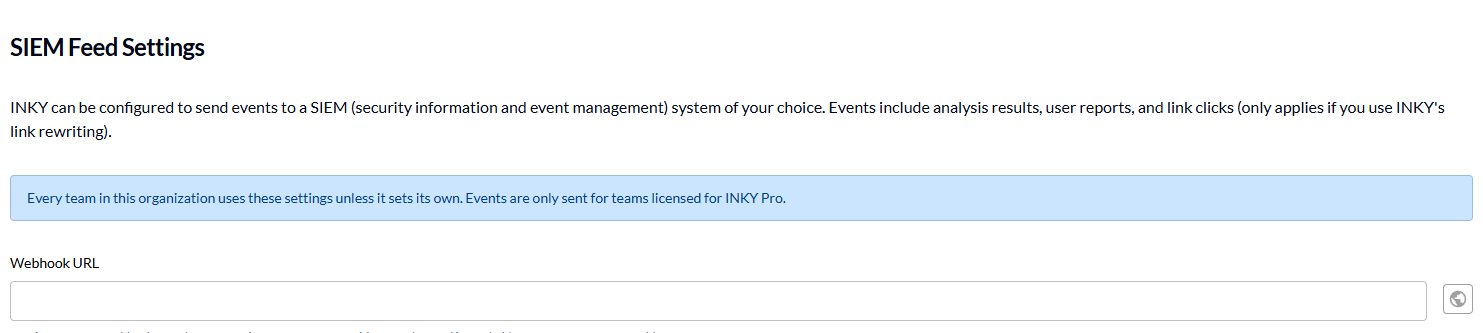
An admin on a Kaseya organization can now open the Custom SIEM Feed from the Integrations tab and save its URL there, where the tab used to say the license did not include it.
Teams under the organization inherit the feed. The form says at the top that events are sent only for teams licensed for INKY Pro, so a team without Pro inherits the setting and sends nothing.
One setup covers a whole customer base instead of one team at a time.
Learn more: Custom SIEM Feed
Organization Advanced Block List rules, now in beta for everyone
Write a block list rule once on an organization, and every team under it inherits it.
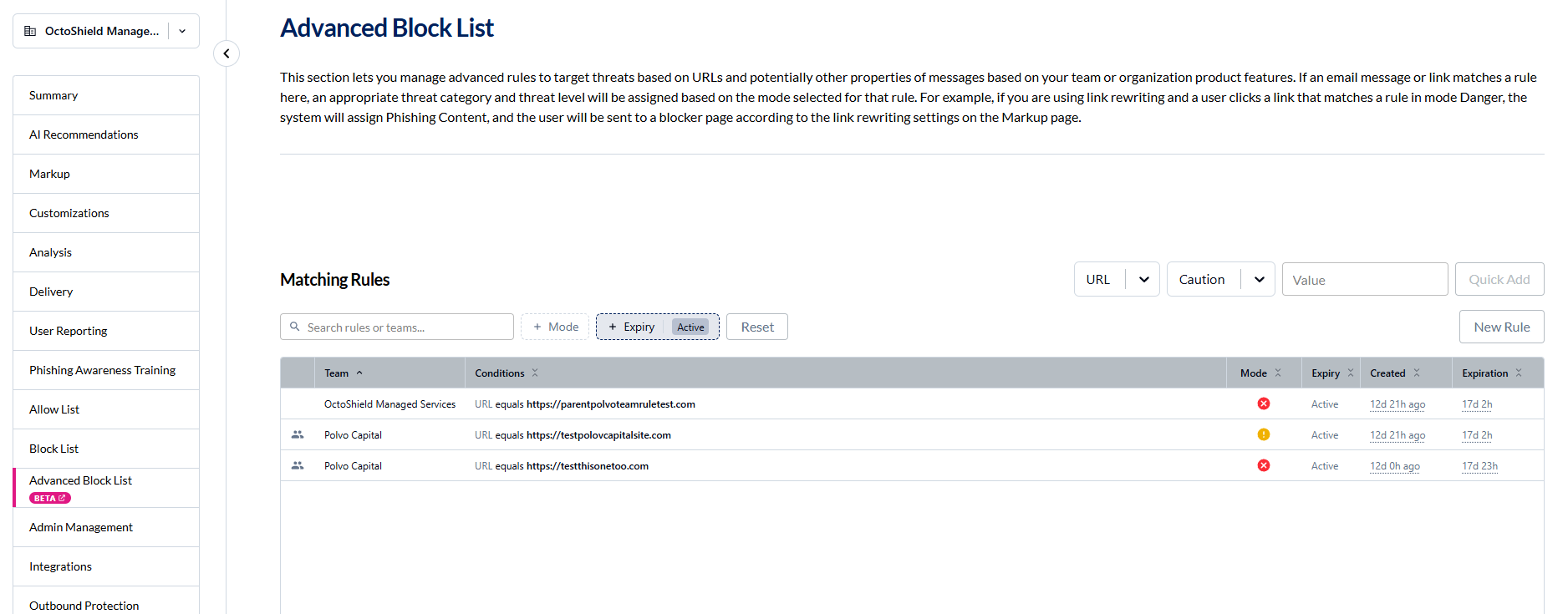
With an organization selected, Advanced Block List shows one Matching Rules table: the organization's own rules and the rules of every team under it.
A team can't edit a rule it inherits, but Override Mode lets it run that rule as Danger, Caution or Disabled for itself.
Move to Organization makes a team's rule the organization's, so every team under it inherits it.
Learn more: Organization Advanced Block List rules
Print from the encryption portal
Recipients can print an encrypted message straight from the portal.
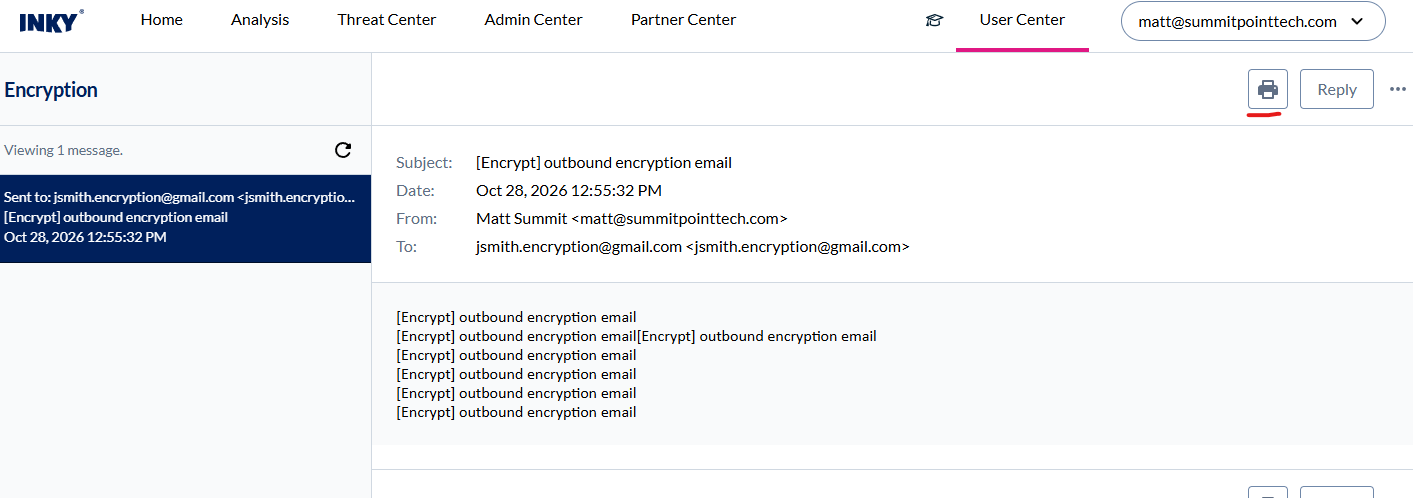
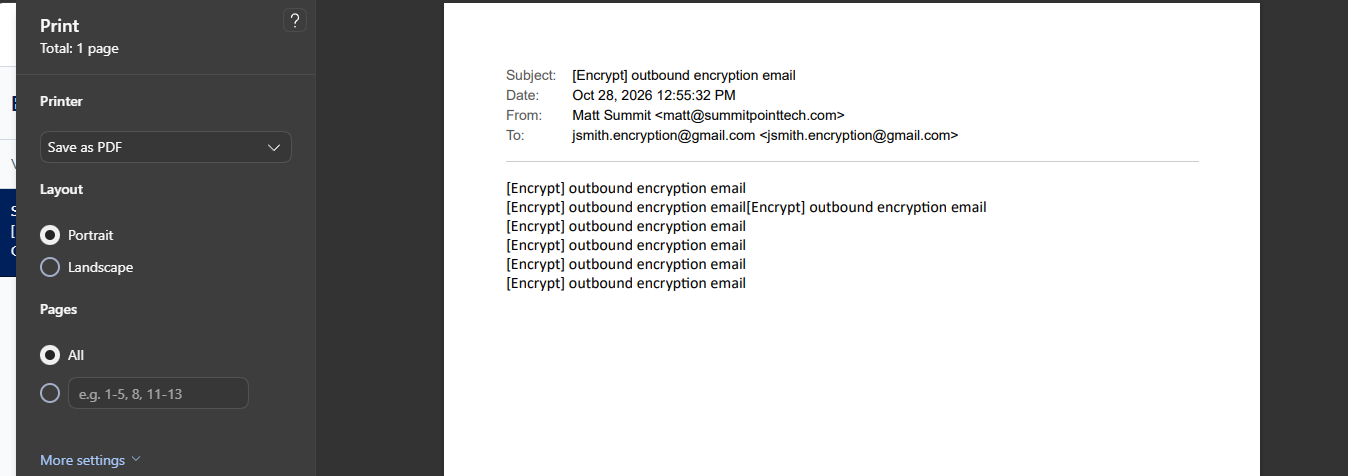
A printer icon sits beside Reply, above and below the message.
It prints only the message, its headers and body with images, not the portal around it.
Recipients get a clean copy or PDF of the message in one click.
Learn more: How to Open an INKY Encrypted Email
Improvements
A cleaner, more consistent console
The console has one look across every page, in light and dark mode.
Text is Lato throughout, the main action on a page is one clear button, and cards, badges and notices look the same wherever they appear.
Form fields, checkboxes and focus outlines have stronger edges, so they are easier to see in both themes.
Status labels and notices keep their colors in dark mode and stay readable on them.
Fixes
Outbound signal conditions keep their values
Changing a condition's match type now works and keeps what you entered.
On the Burst, Dangerous Links and Spam/Phish conditions of an outbound rule, the match type dropdown did nothing.
It now changes the match type and keeps the condition's values, operator, negation and exclusions.
Learn more: Outbound Mail Protection