Organization Settings & Inheritance
Organization settings cascade down to child teams automatically. Lower-level settings override higher ones.
Written By Matt Sywulak
Last updated About 1 month ago
How to Tell You're in an Organization
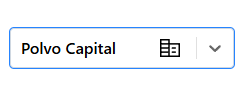
Building icon appears next to the organization name in the team selector. Settings pages show: "You are currently configuring settings for the entire [Org Name] organization, which may affect up to [X] descendant teams."

The Three Inheritance Icons
Globe - Inheriting INKY's default global policy

Skyscraper - Overriding global policy, applies to all child teams

People - Local team override, applies only to this team

Override Mechanics
From Organization Level: Changes apply to all child teams. INKY shows a warning popup before saving organization-wide settings.

From Team Level: Any team can override inherited settings. Team-level changes only affect that specific team and don't flow up or sideways.

Priority: Team settings > Organization settings > Global settings
Settings That Merge Instead of Override
A few settings combine down the hierarchy rather than replacing what the organization set. For these, the editable field on a team holds only that team's own entries, and the entries inherited from the organization appear beneath it in a read-only list.
Known External Senders
Trusted Third-Party Senders
Blocked country codes
Blocked TLDs
Both sets apply when INKY analyzes mail. This means a team can add its own entries without re-entering the organization's, and can't accidentally drop an organization-wide entry by editing its own list.
Excluding an inherited entry for one team
You can now stop a specific inherited entry from applying to a single team without changing it at the organization level. Inherited entries appear as read-only tokens beneath the team's own list; click the × on a token to exclude that entry for this team (the token turns muted red to show it's excluded), and click × again to restore it. Exclusions affect only the team where you set them — the organization-level entry is never modified, so other teams keep inheriting it.
Currently supported for Known External Senders, Blocked country codes, and Blocked TLDs. Trusted Third-Party Senders doesn't yet support per-team exclusions.
Organization Profiles
Each organization starts with a base template inherited from its parent organization (or INKY Global if it's a root org). Configure once at the org level; teams inherit automatically unless overridden.
Was this helpful?
Still need help? Ask the team