Known External Senders
Mark trusted business partners and vendors as "Known External" so users see blue banners instead of gray on their authenticated emails.
Written By Matt Sywulak
Last updated 3 months ago
Admin Center > Analysis > Known External Senders
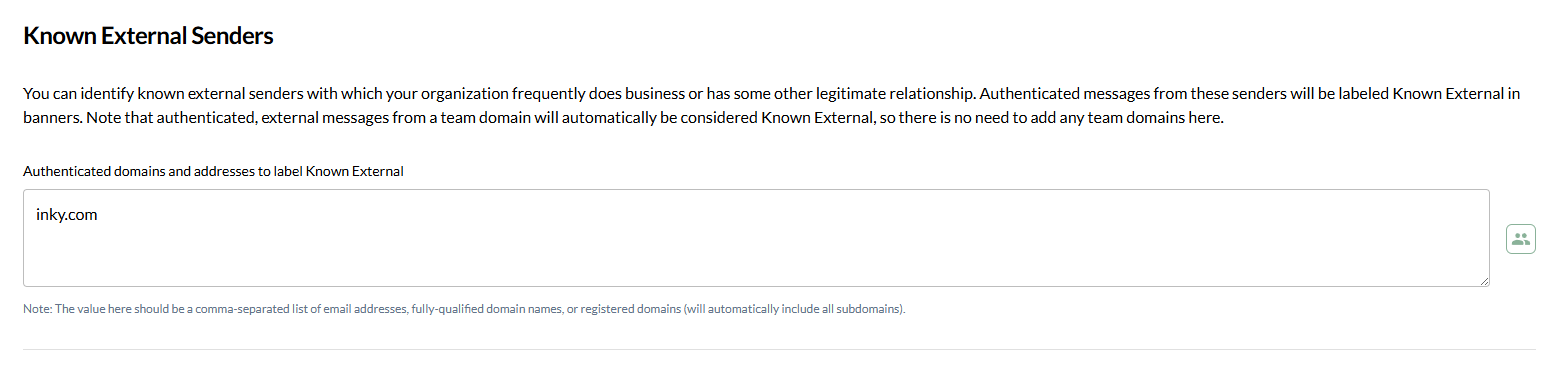
Add Trusted Senders
Enter comma-separated list of:
Email addresses -
partner@vendor.comFull domains -
vendor.com(includes subdomains)Specific subdomains -
mail.vendor.com
Example: acme.com, vendor.com, partner@supplier.net
Key Points
Authentication required - Senders must pass SPF/DKIM/DMARC. Unauthenticated mail won't get Known External label even if listed.
Team domains automatic - Don't add your own domains here. Authenticated mail from team domains gets Known External automatically.
Blue banner effect - Users see these senders are verified external contacts, reducing security fatigue on legitimate business mail.
Typosquatting protection - Domains listed here (including subdomains) get direct typosquatting detection. INKY will flag lookalike domains targeting these trusted senders instead of relying on automatic detection.
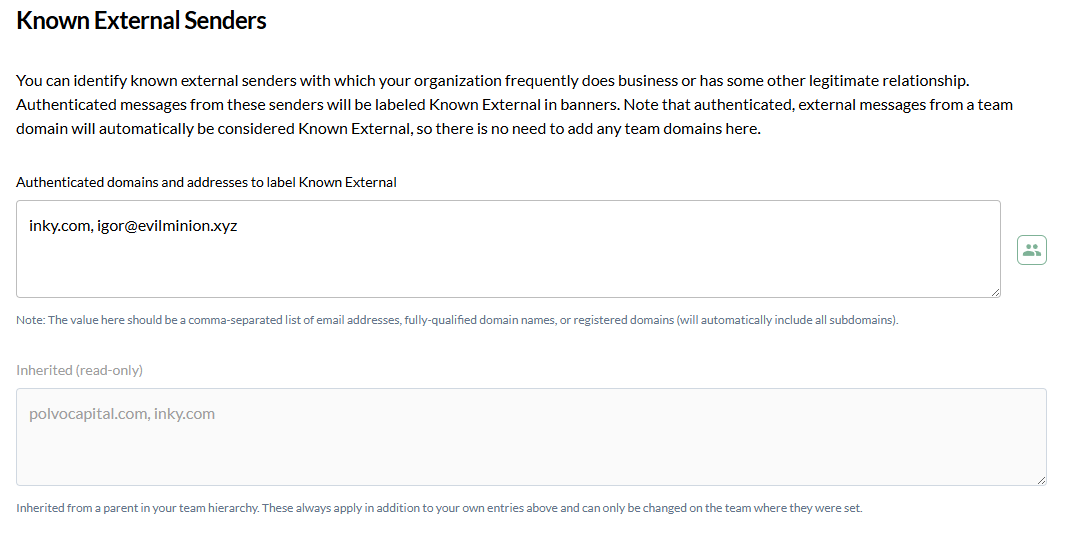
Entries Inherited from Your Organization
If your team belongs to a parent organization, the senders that organization has listed appear beneath the editable field in a read-only list. The editable field holds only your team's own entries.
Both lists apply - Inherited entries and your team's own entries are combined when INKY analyzes mail.
Add without re-entering - You don't need to re-type the organization's entries to keep them. Add only what's specific to your team.
Read-only here - Inherited entries can only be changed at the organization level.
When to Use
Add frequent business partners, vendors, or service providers where you want to signal trust to users. Avoid adding unknown senders just because they seem legitimate—let INKY's detection handle those.
Was this helpful?
Still need help? Ask the team